Feed.fm has native SDKs for iOS and Android and a JavaScript SDK for desktop browsers. For mobile web, use the iOS or Android SDK instead. Other platforms can connect directly to the Feed Radio API.
Feed Radio music SDKs for iOS, Android & JavaScript
Native SDKs for iOS, Android, and JavaScript that bring Feed Radio's pre-cleared music and player controls into your app
Answer a few quick questions and your test credentials appear on the next screen. No sales call needed.
Built on the Feed Radio API
Each SDK is a native wrapper around the Feed Radio API, so you use one set of credentials whether you call the API directly or build with an SDK. Use "demo" as your token and secret to start testing today.
iOS music SDK
Add Feed Radio to an iPhone or iPad app with the Feed.fm iOS SDK. It installs through Swift Package Manager and includes simple UI components you can use as they are or adapt to your design, including a label that scrolls long track titles so they fit in a small space. Explore the iOS SDK or view the code on GitHub.
Android music SDK
The Feed.fm Android SDK is available on Maven Central and is built on Android's Media3 player. It gives your app a shared player with station lists, likes, crossfades between tracks, and listeners for playback state and errors. Explore the Android SDK or view the code on GitHub.
JavaScript music SDK
Install the Feed.fm JavaScript SDK from npm, or add a single script file with no external dependencies. It handles play, pause, skip, and volume, sends events as playback changes, and includes an optional player view you can style with your own HTML. It's built for desktop browsers. For mobile, use the iOS or Android SDK. Explore the JavaScript SDK or view the code on GitHub.
Music SDK features by platform
| Feature | JavaScript | iOS | Android |
|---|---|---|---|
| Music player UX | |||
| Metadata display (track, artist, album, duration) | Yes | Yes | Yes |
| Skip functionality | Yes | Yes | Yes |
| Likes and dislikes | Yes | Yes | Yes |
| Volume | |||
| Separate volume control for video and audio | Yes | Yes | Yes |
| Crossfade between songs | Yes | Yes | Yes |
| Crossfade between stations | Yes | Yes | Yes |
| Loudness normalization | Yes | Yes | Yes |
| Playback | |||
| On-demand playback | Yes | Yes | Yes |
| Offline playback | No | Yes | Yes |
| Absolute-time song scheduling | Yes | Yes | Yes |
| Simulcast broadcaster | Yes | No | No |
| OTT | |||
| AirPlay | N/A | Yes | N/A |
| Chromecast | Yes | Yes | Yes |
Extensive music library
Access Feed.fm's pre-cleared collections featuring everything from major-label hits and indie gems to royalty-free tracks, functional audio, and soundscapes.
Best of all, we take care of compliance and reporting and offer full indemnification for all the licensed music for businesses managed by Feed.fm's UMS.
Customizable music players
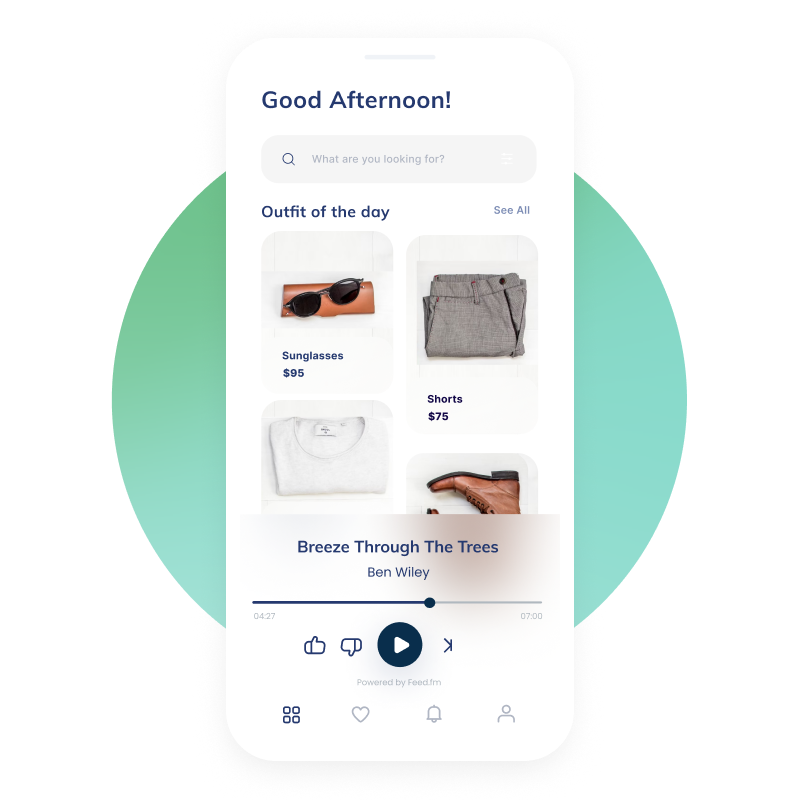
Save development and production time with Feed.fm's pre-built music players and fully customizable music SDKs, which feature intuitive controls like play, pause, skip, like, dislike, and volume adjustments.
You maintain control over UI and placement while we power the backend streaming, reporting, and licensing infrastructure.
Dual-stream integration
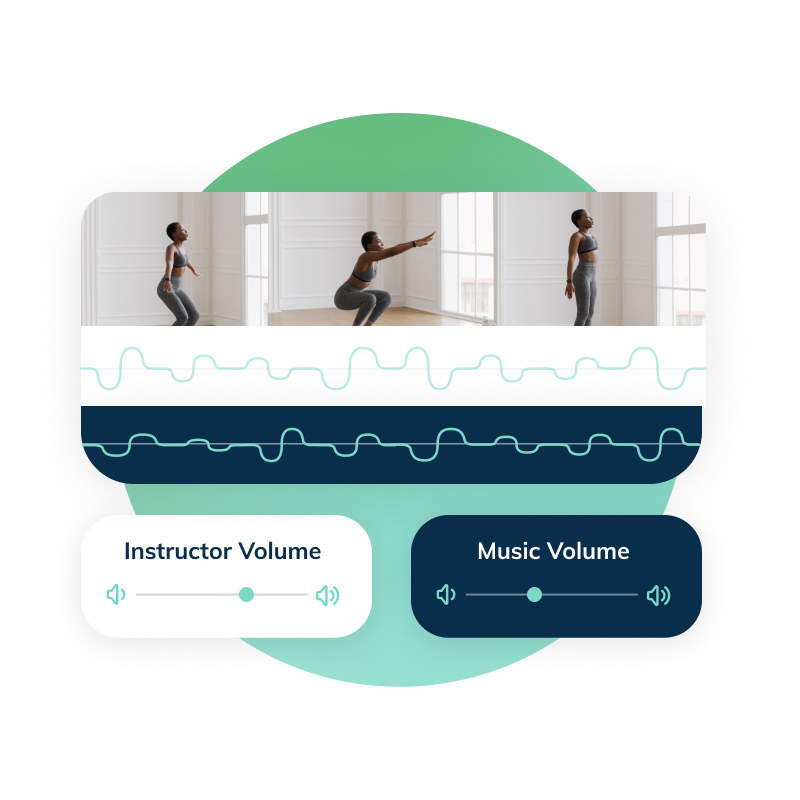
With dual-stream technology, there's no need to download a file or edit it into your video, our plug-and-play SDKs handle it all.
Users can adjust the EQ to balance music and content volume independently, achieving the perfect audio mix for every moment.
Ross Arnott, Chief Product Officer
“One of the features that people love the most is the ability to adjust the music volume and instructor volume. There’s a lot of variety in what people want; some people really want to hear the music, some people want it to be in the background. It’s a very meaningful feature for people, and it gives them an element of control.”
Ashley Davis Keith, COO, Co-Founder and Chief Brand Officer at CITYROW
“Feed.fm allows us to bring music into our product flexibly and efficiently.”
Alessandra Gotbaum, Co-Founder and COO of Ergatta
Music SDK FAQ
Which platforms do the Feed.fm SDKs support?
Do the SDKs use the same credentials as the Feed Radio API?
Yes. All three SDKs run on the Feed Radio API and use the same token and secret. Use demo as both to connect to example stations and start testing before you sign anything.
Can I build my own player UI?
Yes. You control the UI and where the player sits in your app. The SDKs include optional player components you can use as they are or restyle, and Feed.fm handles streaming, reporting, and licensing behind them.
Can users control music volume separately from my content?
Yes. With dual-stream delivery, music plays alongside your video or audio as a separate stream, so users can turn the music up or down without changing your content's volume. All three SDKs support it.
What happens after I request access?
You'll see your testing credentials right away, along with links to the docs and demo apps. We'll also send a few short emails with build tips over the next two weeks. When you're ready to choose a catalog and go live, book a consultation.
Ready to start building?
Answer a few quick questions and your test credentials appear on the next screen. No sales call needed.
With Feed.fm, you’ll get:
Pre-cleared music
Rest easy while streaming popular commercial music. All of the music in the Feed.fm UMS is pre-cleared which means that the music licensing is already taken care of. Plus, the built-in content management system automates all compliance and reporting while granting you full indemnification. Explore the Feed.fm music catalogs
Comprehensive music API
Data-driven curation
Say goodbye to endless searches for the right music. With the expertise of professional music curators, personalization algorithms, and data-driven selection, UMS eliminates any confusion in selecting licensed music for business use and provides valuable data and insights to drive faster product growth. Read about music curation strategy